
Marketing
Turn agency data into communication that's ready to send.
Bring lead lists in, write the message once, and let AgencyCommand fill in the client, policy, and agency details it already holds — whether an agent is emailing one client or your agency is reaching a filtered audience.
From data to outreach
Four steps, one system of record.
Nothing here is a separate marketing tool bolted onto the side. The audience comes from your own leads and clients, the message comes from your own templates, and the result stays attached to the record.
- 1Agency Management
Import
Bring an external lead list in as real, assigned opportunities.
- 2Agency Management
Prepare
Write reusable email templates with the fields that should fill themselves in.
- 3Agency-Wide
Communicate
Send to one person from a record, or to a filtered audience.
- 4Agency Management
Track
Every send is recorded — per client, and per campaign.
Bring leads into the workflow
A vendor file becomes workable pipeline, not a spreadsheet.
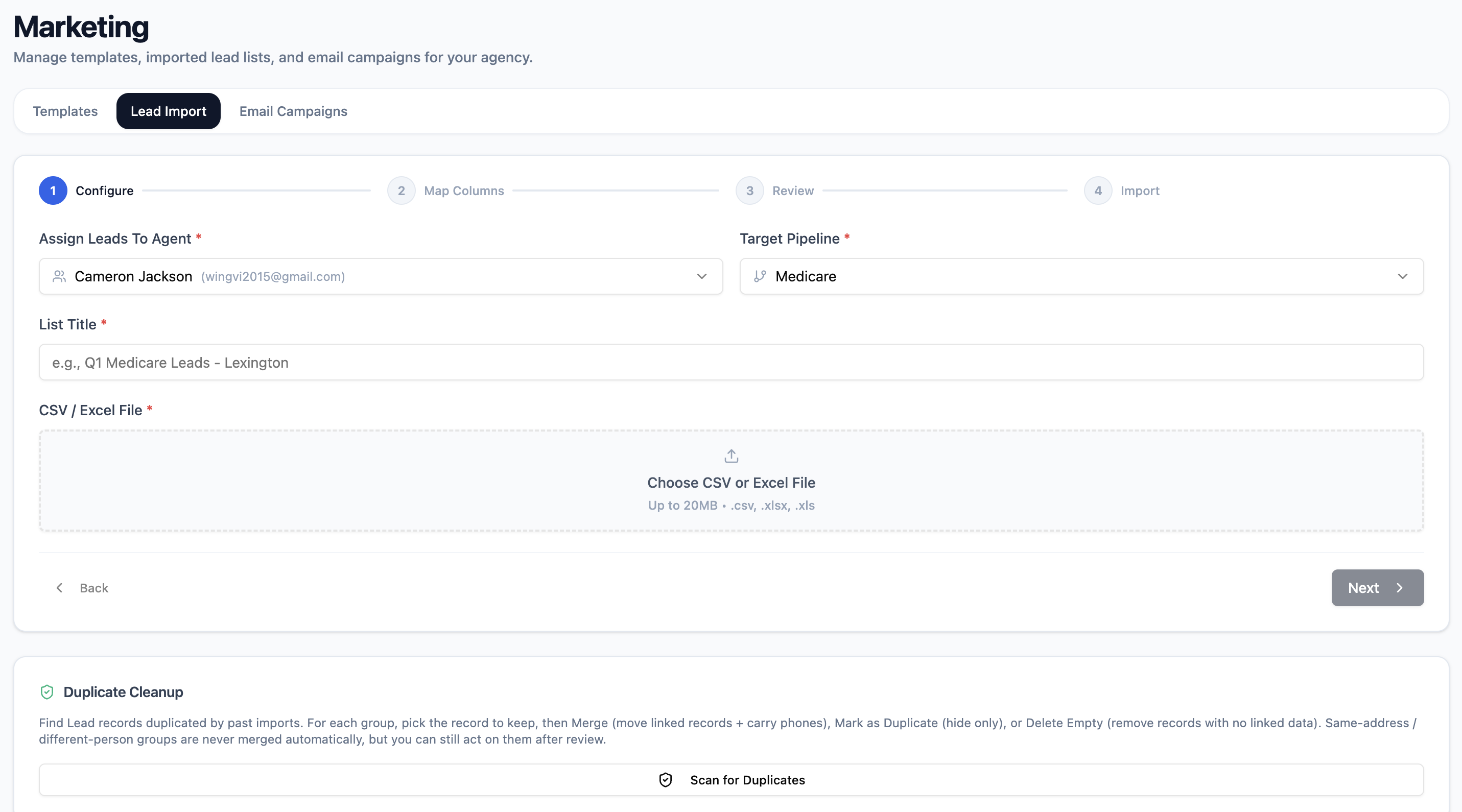
Import walks through four steps: choose who the leads belong to and which pipeline they enter, confirm how the file's columns map to AgencyCommand fields, review what will actually happen, then import. Before anything is created, AgencyCommand checks the file against your entire agency book — so the same person doesn't quietly become a second record.
- Upload a CSV or Excel file and confirm the column mapping
- Assign the list to an agent and a target pipeline, with a list name kept on each lead
- Duplicate review is agency-wide: already a lead, already a client, or repeated inside the file
- Invalid rows are counted and excluded rather than silently imported
- You see the exact number that will be created before you commit — and per-row detail if anything fails
Build it once
Routine messages shouldn't be rewritten every time.
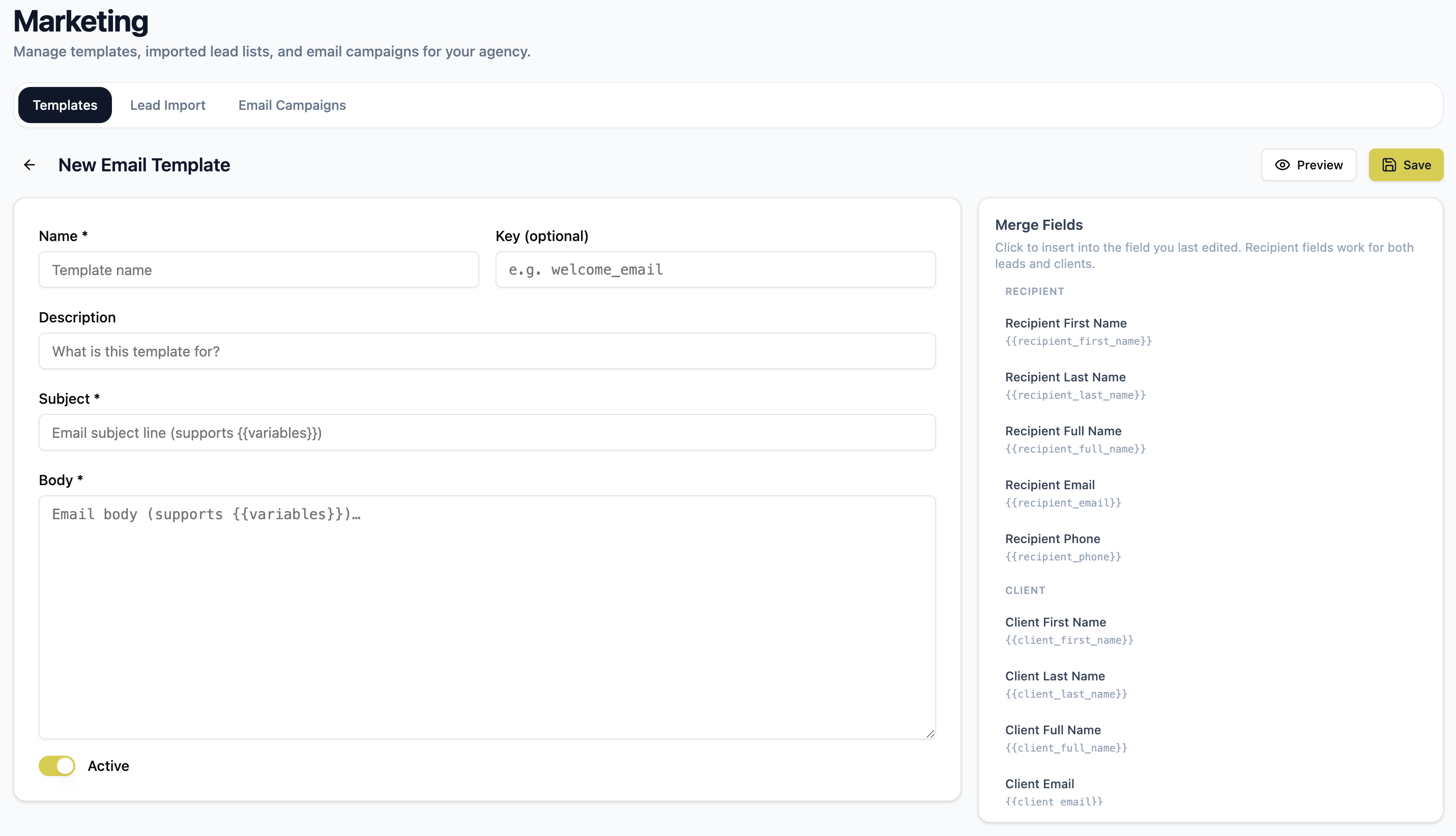
Email templates are owned by the agency: a name, a subject, a body, and an active flag. Write the welcome message, the renewal reminder, or the request to call the office once, and every agent sends the same professional version instead of improvising it under time pressure.
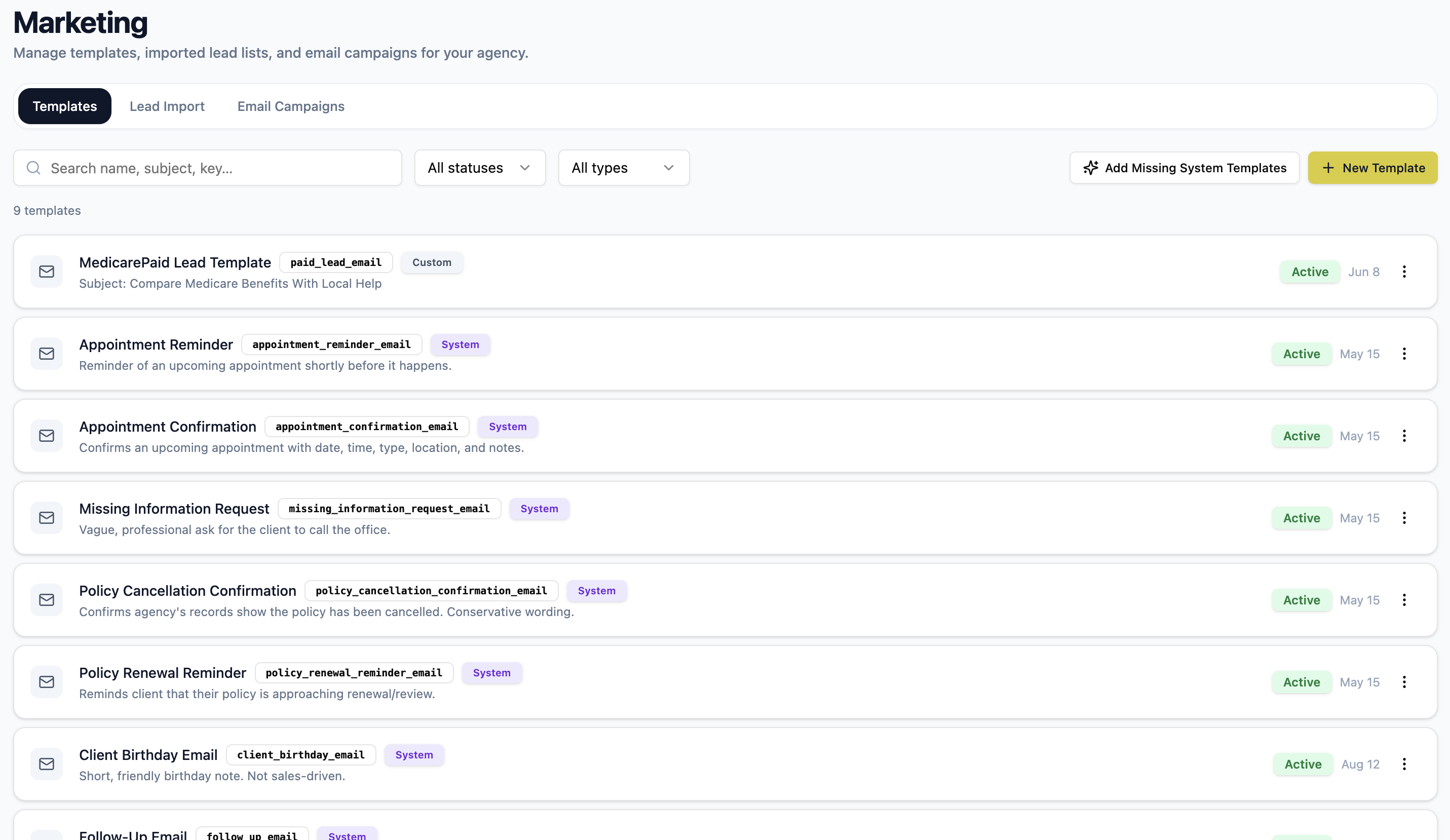
- Create and edit your own templates, with a short description so people can find them
- Deactivate a template to retire it without deleting the history behind it
- A starter set of email templates is available to build from
- Preview the rendered subject and body before anyone uses it
Contextual data
The message fills itself in from the record.
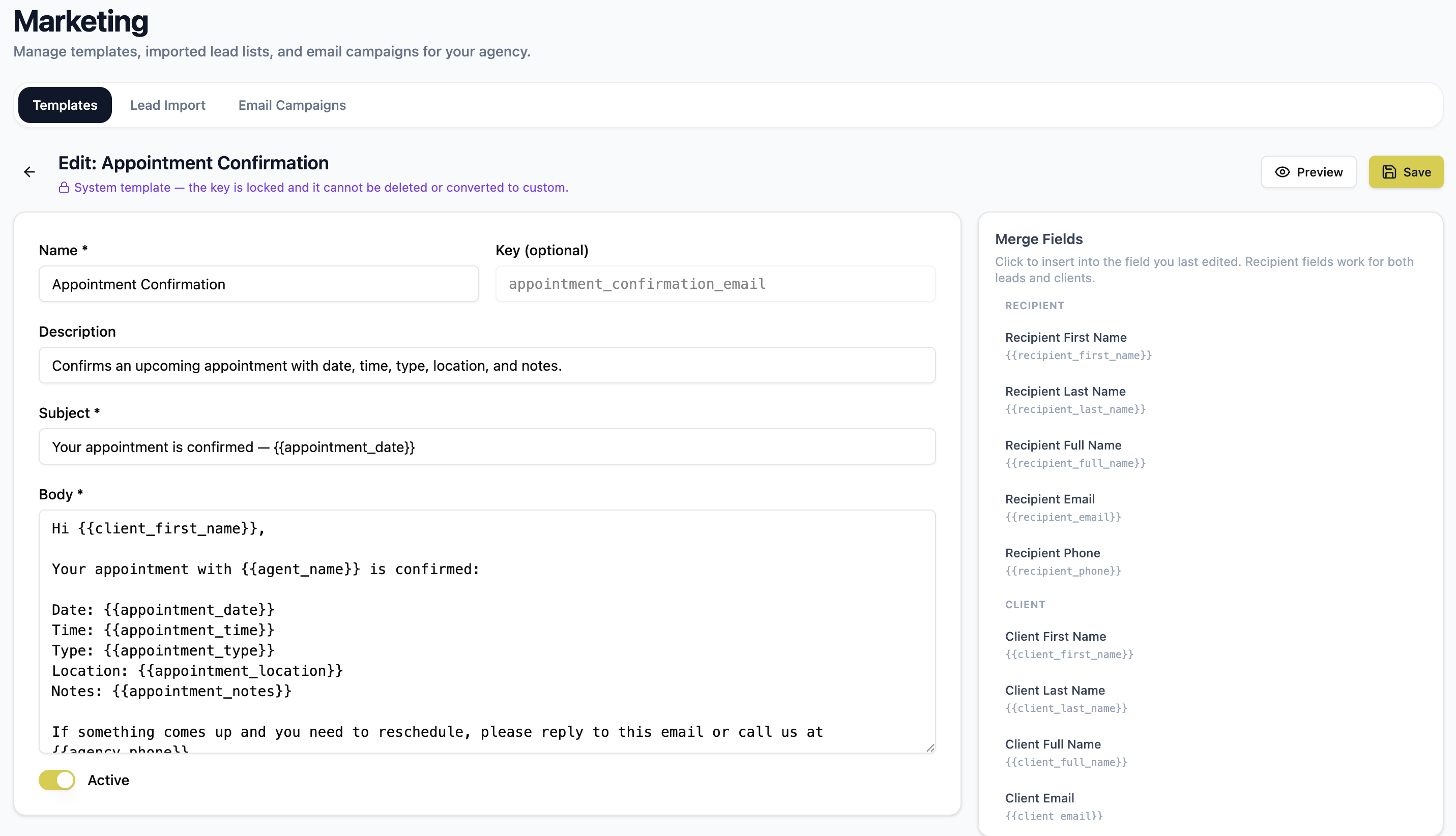
A template isn't static text with blanks to paste into. It references the information AgencyCommand already holds, and those references resolve when the message is prepared — so the client's name, their plan, and your agency's details are current rather than copied.
The recipient
Name, email, and phone — resolved whether the message is going to a lead or a client.
Client detail
Client name and contact details, plus date-of-birth information such as a birthday.
Lead context
Lead source, current status, pipeline, and the assigned agent.
Policy detail
Plan name, carrier, plan type, premium, and effective, renewal, or cancellation dates.
Agent and agency
The sending agent's name and contact details, and your agency's name, phone, email, website, and hours.
Appointments
Date, time, type, location, and notes for a scheduled appointment.
The editor lists the available fields by category and inserts them for you, and the preview renders the message with sample values using the same engine that sends it. If a field can't be filled in for the message you're preparing, AgencyCommand says so instead of sending a blank.
Day-to-day communication
Consistency for the agency, control for the agent.
Templates aren't only for large sends. From a lead or client record, an agent applies a prepared template, reviews what it filled in, edits anything that needs a personal touch, and sends from their own connected email.
Start from the record
The composer opens on the lead or client the agent is already working, with the recipient prefilled.
Review before it goes
Populated details are visible and editable, and applying a template never sends anything on its own.
Sent from a real person
The message goes out through the agent's own connected email account, not an anonymous system address.
Logged once it succeeds
The email is recorded on the client's communication history only after the send actually goes through.
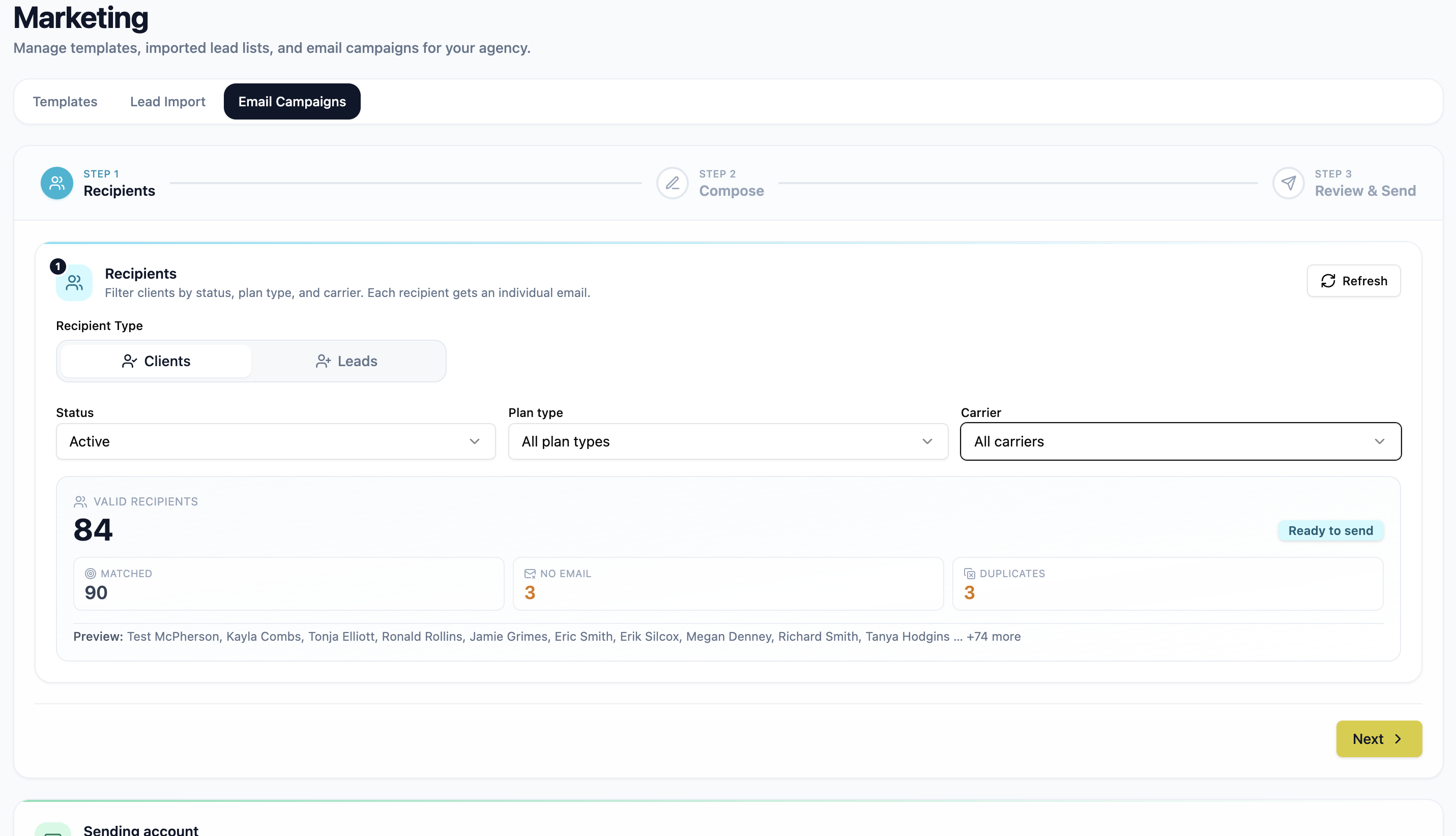
Campaign audience
Build the audience from the book you already have.
A campaign starts by choosing who it's for: clients or leads. Clients can be narrowed by lifecycle status, plan type, and carrier; leads by pipeline, lead source, and lead status. AgencyCommand then tells you exactly what that selection resolves to before you write a word.
- Client audiences: active, inactive, or all — plus plan type and carrier from your own catalogs
- Lead audiences: pipeline, one or more lead sources, and specific lead statuses
- A live count of valid recipients, with a sample of who matched
- Records with no email address, and duplicate addresses, are excluded and counted
- Every recipient receives their own individual email
Template fit
A template is only offered where its data exists.
Not every template belongs in every campaign. A message built around one client's specific policy or appointment has no single record to read from in a broad send, and a lead-specific field has nothing to resolve when the audience is clients.
Compatible templates come first
For the audience you selected, AgencyCommand shows which prepared templates can actually resolve their fields.
Blocked choices explain themselves
A template that depends on data the campaign can't supply — a specific policy, an appointment, or the other audience's fields — is blocked with the reason stated.
Checked again before sending
The same rules are enforced on the send itself, so an edited message can't slip past with a field that would render blank.
Send and record
Review the real numbers, then keep the receipt.
Before sending you see the audience, the reviewed recipient count, the sending account, the subject, and what was excluded — and you confirm explicitly. If the audience changed while you were composing, AgencyCommand stops and asks you to review it again rather than sending to a number you never approved. Afterwards, the campaign is in history.
- Explicit confirmation, with the sending account and recipient count stated
- Campaign history lists each send with its audience and filter summary
- Counts are honest: matched, valid recipients, sent, failed, skipped, and excluded
- Failures surface a reason instead of disappearing
- Sends go through your agency's connected email account
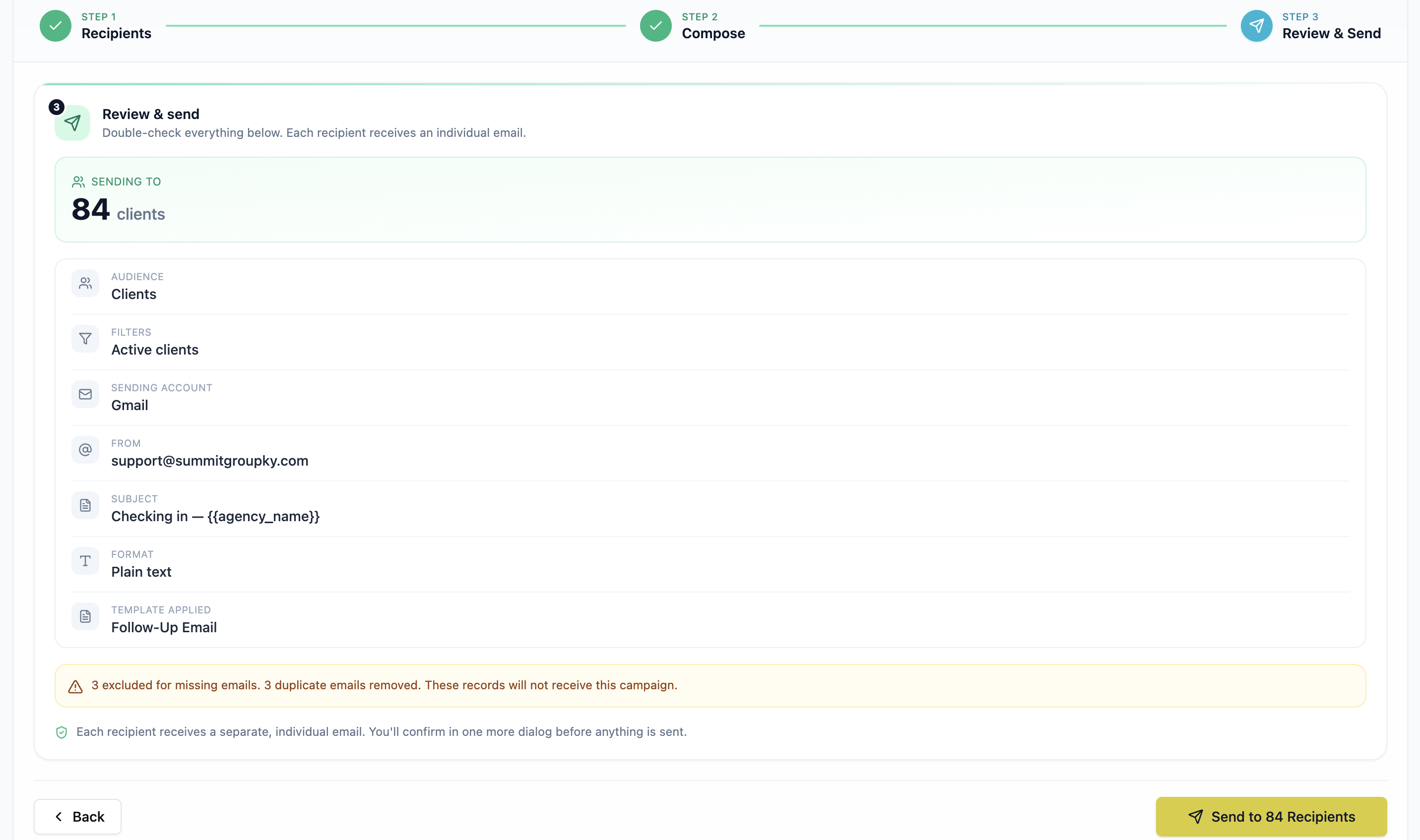
AgencyCommand reports what it can prove: whether each message was accepted for delivery, and what was skipped or failed. It does not claim open, click, or attribution analytics.
Product walkthrough
See Marketing in AgencyCommand.
Importing a list, preparing a template, building an audience, and sending — end to end.
See Marketing in AgencyCommand
From an imported lead list to a template-driven send, with the history that follows it.
Continue the workflow
See Marketing in AgencyCommand.
Book a walkthrough and we'll import a list, prepare a template, and build a real audience with you.